PHI Labeling Guidelines
Task Description
This task consists of labeling instances of Protected Health Information (PHI) that occur within the context of clinical notes. PHI is defined as information that can be used by itself or in combination with other readily available information to identify an individual within the database. A more formal definition can be found on this HHS website.
Specifically, in this task, we will highlight spans of text that can be identified as PHI either by itself or in combination with other information within the note. The different categories to annotate are:
Patient Information
PATIENT: Identify the patient’s name or any other names that can be linked to the patient, including names of family members, friends, or coworkers. This includes first names, middle names, last names, nicknames, initials, and shorthand versions of the names. If you are unsure whether a name belongs to the patient or the doctor/provider, assign it to the PATIENT category.
- Notes
- Please highlight the longest possible span for the name. If first and last names are present, highlight both as a single entity.
LOCATION: Identify clearly defined locations such as:
Full addresses including hospital addresses
ZIP codes
All geographic subdivisions smaller than a state, such as street addresses, cities, counties, precincts, ZIP codes, and their equivalent geographical codes. This means we are not labeling states as PHI.
Any other location information that, when combined with other elements in the clinical note, may help recreate or identify a specific address where the person resides, works, or have been.
Notes
- There are malformed addresses that we should highlight entirely as
LOCATION(e.g. 770 Welch Rd Ste 201 Mc 5880 Obstetrics Clinic Palo Alto CA 94304)
- There are malformed addresses that we should highlight entirely as
DATE: Identify any dates or parts of dates. Date elements must be identifiable as dates in the context of the clinical note. Time of day is not considered PHI and should not be flagged; if a datetime is provided, only the date part should be flagged.
- Notes:
- Elements such as 1 week, today, within 3 days, or first trimester should not be considered PHI.
- If a date has the day of the week attached to it, please select everything (e.g. Monday 25 Jan 2021)
- Elements such as 1 week, today, within 3 days, or first trimester should not be considered PHI.
AGE: Identify all ages
- Note:
- Please include the characters “Y”, “YO”, “years old”, etc… in the selection
- Only if the patient is 90 years old or older is considered PHI under Safe Harbor. However, here we will identify all the ages.
- Date of Birth should be highlighted as
DATE
- Please include the characters “Y”, “YO”, “years old”, etc… in the selection
PHONE: Identify any phone numbers associated with the patient, including landlines, cell phones, pager numbers, and fax numbers. This also extends to phone numbers of friends, family, and coworkers mentioned in the clinical note. Phone, fax numbers, hospital extensions, and pagers from the hospital should be included as it may not always be easy to differentiate.
ID: Identify any IDs traceable to the patient, such as:
Medical record numbers (MRN’s)
Driver’s licenses
Passports
Social Security numbers (SSN’s)
Tax Identification Numbers (ITIN’s)
Hospital Admission Record (HAR)
Accession Numbers
Patient Contact Serial Number (CSN ID)
Device identifiers and serial numbers
Account numbers
Certificate or license numbers
Health plan beneficiary numbers
Vehicle identifiers and serial numbers, including license plate numbers
Any other personal identification numbers
Notes:
- If it is clear from the context of the note that the ID is for something like a procedure or diagnosis, then it is not necessary to flag it as PHI. The idea here is that the ID should be something that is pretty specific to that patient so that it would help with re-identification. An identifier like a px_id would not be useful (or at least not any more useful than the procedure name) for identifying the patient.
WEB: Identify all web identifiers even if they do not seem associated with the patient, friends, family, or coworkers, including:
- Email addresses
- Web Universal Resource Locators (URLs)
- Social media profile handles
- Internet Protocol (IP) addresses
OTHER: Identify any other unique characteristics that may help identify the person (e.g., Apple CEO).
Organizational Information
The organizational information is not PHI under the Safe Harbor definition. However, having the ability to identify and potentially obfuscate organizational information is relevant for our research projects.
DOCTOR: Identify mentions of clinical providers’ names and initials. This can include providers who were part of the care team mentioned in the clinical note or those who provided care in a different context. Please do not include credentials such as M.D. in the entity to be labeled.
HOSPITAL: Identify mentions of hospitals or any other healthcare facilities that may or may not be part of the patient’s care as reflected in the clinical note. This should include Room and Unit numbers.
- Notes
- If locations like “YMCA of the East Bay” are mentioned in the context of some treatments/procedures for the patient, we should annotate this as
HOSPITAL. - The mention of places like YMCA alone, that is, without referring to a specific geographical location, is too generic and should not be annotated.
- If locations like “YMCA of the East Bay” are mentioned in the context of some treatments/procedures for the patient, we should annotate this as
How to Annotate
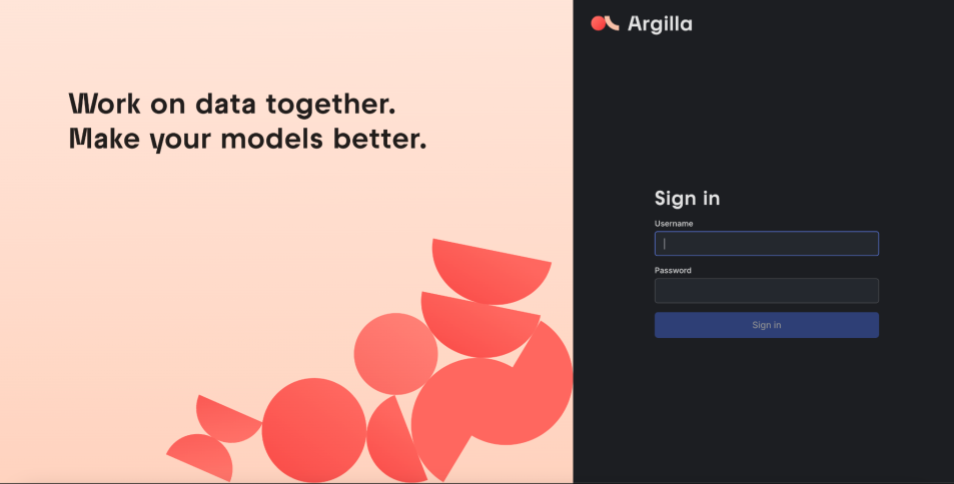
The software we will use for this annotation task is Argilla. Hugging Face recently acquired this startup, so we can expect continued support moving forward, given the extensive Hugging Face community. The software has been deployed in our internal cloud infrastructure. Once you connect, you should see the following screen. The software is only available internally.
Accepting/adding annotations
The software will automatically assign clinical notes to you. Most PHI should already be labeled by the LLM. Your job is
- Verify that the output is correct.
- If the label is incorrect delete it and assign a new label
- If the span is not PHI according to the guidelines delete it
- If the label is incorrect delete it and assign a new label
- Add PHI missed by the algorithm: Even the LLMs miss.
- Click Submit